
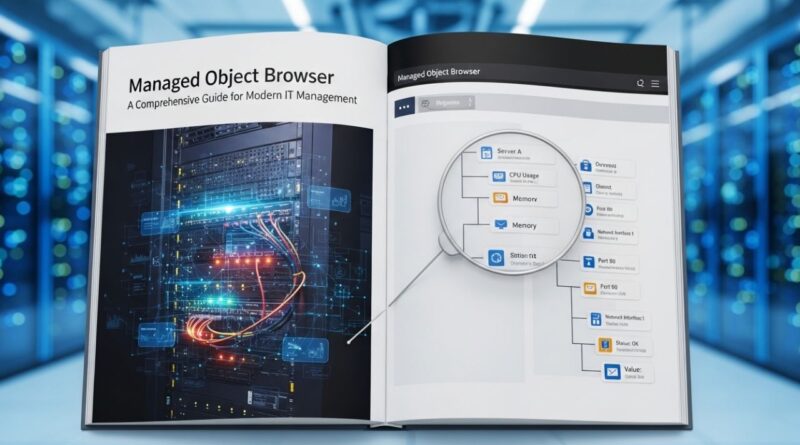
Managed Object Browser: A Comprehensive Guide for Modern IT Management
In today’s fast-paced digital environment, managing complex IT infrastructures efficiently is critical. A Managed Object Browser is a powerful tool that enables IT professionals to view, manage, and monitor network objects in real-time. This solution simplifies the management of devices, applications, and other network resources while ensuring operational efficiency. By using a Managed Object Browser, organizations can streamline workflows, reduce downtime, and enhance overall network visibility.
What is a Managed Object Browser?
A Managed Object Browser is essentially a software interface that allows IT teams to access and control various managed objects within a network. Managed objects can include routers, switches, servers, applications, and more. The browser provides a structured, hierarchical view of all these objects, making it easier for administrators to identify problems, track changes, and optimize performance.
Unlike traditional monitoring tools, a Managed Object Browser integrates with network management systems to offer a real-time, interactive experience. Users can navigate through the network tree, check object status, and even execute configuration commands from a single interface.
Key Features of Managed Object Browser
The effectiveness of a Managed Object Browser comes from its rich set of features designed for modern IT operations:
1. Hierarchical Network View
The browser provides a hierarchical view of all managed objects, showing how devices and applications are interconnected. This allows IT teams to pinpoint issues quickly and understand dependencies within the network.
2. Real-Time Monitoring
One of the most valuable aspects of a Managed Object Browser is real-time monitoring. IT administrators can track the status, performance, and health of each object instantly, allowing for proactive maintenance and faster troubleshooting.
3. Efficient Configuration Management
Many Managed Object Browsers allow administrators to push configuration changes directly from the interface. This reduces the risk of human error and ensures consistency across the network.
4. Detailed Reporting
The browser generates detailed reports about object performance, fault history, and usage trends. These reports help IT managers make data-driven decisions and optimize network resources effectively.
5. Integration with Network Management Systems
A Managed Object Browser can integrate seamlessly with broader network management solutions. This integration ensures that all managed objects are accurately represented and monitored across the organization.
Benefits of Using a Managed Object Browser
Implementing a Managed Object Browser in your IT environment brings multiple advantages:
1. Improved Network Visibility
With a clear, structured view of all managed objects, IT teams can quickly identify bottlenecks, errors, or potential threats, leading to faster resolution times.
2. Reduced Operational Costs
By automating monitoring and configuration management, organizations save time and reduce manual effort, which in turn lowers operational costs.
3. Proactive Maintenance
Real-time alerts and performance tracking help prevent issues before they escalate, ensuring minimal downtime and improved service delivery.
4. Enhanced Compliance
A Managed Object Browser can maintain logs and reports that support regulatory compliance requirements. This makes it easier for organizations to meet auditing and security standards.
5. Simplified Troubleshooting
When a network problem occurs, IT staff can quickly identify affected objects and resolve issues efficiently, reducing the impact on business operations.
Applications of Managed Object Browser
A Managed Object Browser is versatile and can be applied across various sectors and IT environments.
Enterprise IT Management
Large organizations use the browser to manage thousands of devices across multiple locations. This centralizes control and improves coordination among IT teams.
Data Centers
In data centers, monitoring and managing servers, storage, and network devices is crucial. The browser ensures that resources are optimized and downtime is minimized.
Telecommunications
Telecom companies use Man aged Obj ect Bro wsers to maintain network infrastructure and deliver consistent service to customers.
Cloud Management
As organizations adopt hybrid and multi-cloud environments, the browser helps monitor cloud resources alongside on-premises systems for a unified view.
Best Practices for Using Managed Object Browser
To maximize the value of a Man aged Obj ect Brow ser, organizations should follow these best practices:
- Regularly Update Object Inventory – Keep the list of managed objects current to ensure accurate monitoring.
- Set Up Alerts and Notifications – Configure thresholds to get timely alerts for critical issues.
- Integrate with Other Tools – Connect with IT service management, logging, and security tools for better insights.
- Train IT Staff – Ensure that team members understand the browser’s capabilities for effective use.
- Review Reports Consistently – Analyze trends and performance reports to make informed decisions.
Challenges in Implementing Managed Object Browser
While a Man aged O bject B rowser offers numerous benefits, there are some challenges to consider:
- Initial Setup Complexity – Deploying and configuring the browser can be complex for large networks.
- Data Accuracy – Inaccurate or outdated object information can reduce the effectiveness of monitoring.
- Integration Issues – Ensuring compatibility with existing IT management systems may require careful planning.
Despite these challenges, the long-term benefits of improved visibility, reduced downtime, and efficient management far outweigh the initial hurdles.
Future Trends in Managed Object Browsers
The evolution of IT infrastructure is pushing Man aged Obj ect Brow sers toward more advanced capabilities. Some emerging trends include:
- AI-Driven Analytics – Using artificial intelligence to predict failures and recommend fixes.
- Cloud-Native Browsers – Browsers designed specifically for hybrid and cloud-first environments.
- Enhanced Security Features – Integrating advanced security monitoring to protect against cyber threats.
- Automation and Orchestration – Allowing automatic remediation of issues without human intervention.
These trends indicate that Manag ed Object Browsers will continue to play a central role in IT operations, making networks more intelligent and responsive.
Conclusion
A Managed Object Browser is no longer just a nice-to-have tool; it is an essential component of modern IT management. From providing real-time visibility and simplifying troubleshooting to enhancing compliance and reducing operational costs, the benefits are clear. Organizations that adopt a Ma naged Obj ect Browser can expect improved network efficiency, faster problem resolution, and a proactive approach to IT management.
By understanding its features, applications, and best practices, IT teams can fully leverage the capabilities of a Ma naged Object Browser to ensure robust, reliable, and future-ready IT infrastructure.